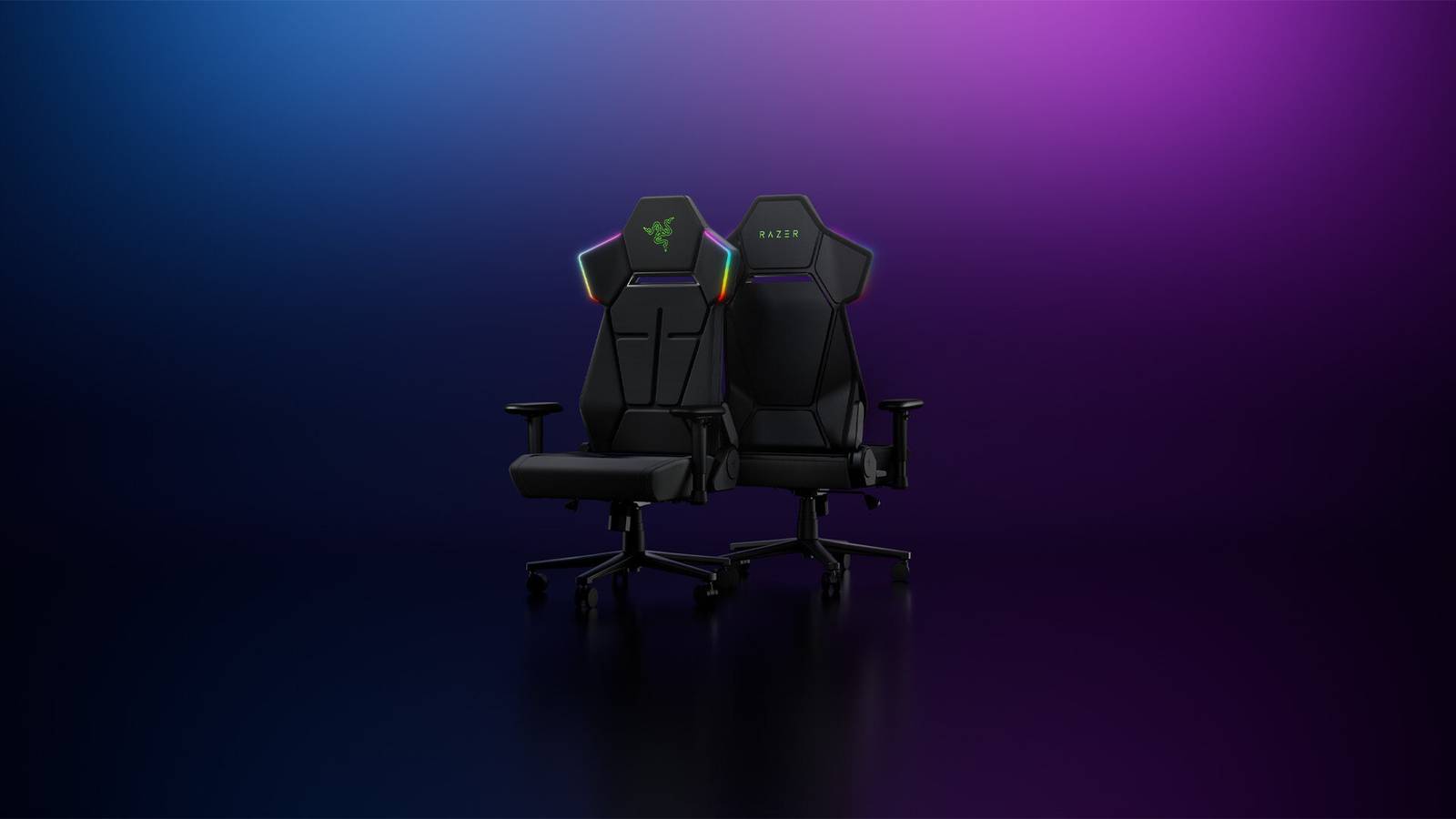
I've always had something of a love-hate relationship with gaming chairs. A good one can be incredibly comfortable, supportive, and meaningfully beneficial to your gaming experience, but it can also be pretty ugly at times. Every time I've used a gaming chair, I've felt it clash with my wider setup – if you have a carefully curated office or gaming area, the techy, “gamerfied” look of a traditional gaming chair can sometimes be an eyesore. I am happy to say that the new Razer Soma Chroma performs this tightrope act better than most of its contemporaries, and has earned its place as my main chair for the foreseeable future.
Over the past week, I've used the Razer Soma Chroma for dozens of hours—gaming, working, reading, and even doing some atypical office chair tasks, like playing the drums. What I've found is that the Soma Chroma is exceptionally comfortable in a variety of scenarios, to the point where, if things were a little different, I'd eagerly recommend this chair to anyone who spends a lot of time at a desk, not just gamers.
And I still can, especially since the $499.99 price tag makes it a bit more affordable than other leading ergonomic chairs of similar build quality. But the Razer Soma Chroma's namesake, the “Chroma” LED system that's programmed to dynamically react to certain games, feels like a gimmick that most consumers will see as a sweet novelty, but only a very specific demographic will really appreciate. How much this affects the overall value of the Soma Chroma, if at all, is a nuanced question, but definitely worth considering if you're looking for a chair that best suits your needs.
Razer Soma Chroma overview: features, build quality and design
Razer Soma Chroma Key Specs
-
Recommended user height: 5.3-6.6 feet/160-200 centimeters
-
Max Load: 331 lbs/150 kg
-
Foam type: Seat cushion in double-density cold-cured foam
-
Upholstery: fabric
-
Frame: steel
-
Approximate tilt range: up to 155 degrees
-
Power cable: USB Type-C
-
Connectivity options: Razer HyperSpeed Wireless (2.4 GHz), Bluetooth® LE
After the Razer Soma Chroma arrived at my door and I lugged the heavy, steel-filled box upstairs, I was relieved to find that the rest of the setup process was relatively easy. Its technical integration didn't lead to any unexpected hiccups: assembling the Soma Chroma is ultimately not that different from assembling a more conventional office chair, as Razer has smartly limited its external wiring to just a sleek USB-C cable (perhaps four or five inches long) that peeks out from the bottom left corner of the backrest. It may seem relatively trivial, but the ease with which I constructed the chair and connected it to my computer enhanced the overall experience. From the start, Soma Chroma feels designed to be as user-friendly and pleasant as possible.
The Soma Chroma connects to the PC via either a 2.4GHz dongle or Bluetooth, similar to other Razer peripherals, but it needs an external power source, hence the aforementioned USB-C cable. For my review, Razer was kind enough to include a USB-C extension cord, which made connecting the chair to power fairly easy, but I can't help but feel that this extension cord should be included in the Soma Chroma's base package. Again, the USB-C cable coming out of the backrest is extremely short, so it's virtually impossible to plug it in without some sort of extension cord, or a power bank tucked into the chair's own zipper, as some of the chair's marketing recommends. Basically, it's impossible to run the Soma Chroma without additional technical accessories that not everyone will have on hand, which is disappointing.

Likewise, the integrated nature of the Soma Chroma's USB-C cable means you're not free to choose which USB you want to use. And if the included USB-C breaks, the replacement process will be much more of a headache than a simple cable replacement.
Turning away from the Soma Chroma's RGB functionality for a moment, it's undeniable that this product is one of Razer's best yet, at least from an ergonomic perspective. Devilishly cozy, it strikes the perfect balance between plush, indulgent comfort thanks to its cold-hardened seat cushion and firm support thanks to its ergonomic lumbar support. Its seat adjusts to your body, while your body adjusts to the backrest, providing near-perfect weight distribution whether you're sitting upright or leaning all the way back. The adjustable armrests are also good, although taller users may wish they could be raised a little higher.
The Soma Chroma's sleek and purposeful ergonomics are mirrored by its restrained and relatively conservative design, which I absolutely love. The chair comes in one color, black, and is tastefully low-profile, notably less flashy than anything from Razer's Iskur line, while feeling more visually distinct than something like the low-key Razer Fujin.
I just wish Razer invested a little more in the Soma Chroma's pared-down design by ditching or changing one eye-catching design element: a fist-sized, embossed, bright green Razer logo smack-dab in the center of the front of the headrest. If this logo were absent or at least less brutal (eg by being black or dark gray rather than Razer Green), the chair would be more aesthetically consistent, as it otherwise looks more professional. The logo is basically a giant stamp that says “GAMER”, which is fine if you're into that, but it definitely makes the chair less versatile from a decor perspective.
Razer's Chroma functionality
At its most basic level, “Chroma” is simply Razer's proprietary dynamic RGB software, controlled via the Razer Chroma application. Seeing such RGB lighting on a chair as opposed to a tower, keyboard or mouse is really new, and I appreciate the extra customization options. The chair's LEDs can be adjusted to present a variety of colors and patterns, such as color cycling, pulsing and strobing. You can also create your own unique patterns and effects in Chroma Studio, which can be really fun.

Even as someone who doesn't love RGB, I found myself choosing to keep the Soma Chroma's LEDs on more often than not. By switching between different solid colors, I basically gave the chair alternative accents around the headrest, which offered some creative flexibility – if you like experimenting with different furniture and decor configurations, you might get a similar kick out of Soma Chroma's customization suite. Unfortunately, the aforementioned headrest logo undermines this a bit, forcing you to consider its particular shade of green in your color combinations. I can't turn the LEDs on red without my office suddenly looking Christmas themed.
And of course, there's the chair's most prominent feature, its dynamic in-game Chroma integration. Over 300 PC games are compatible with this feature and send RGB “commands” to the chair that change its colors and patterns in real time. For example, if you shoot a burst of blue-colored magic in a Chroma-supported game, the LED strips on the chair can also pulse blue, correlating with the action on the screen. The idea is to increase immersion, but I'm not so sure it's successful in this regard.
Perhaps the most awkward aspect of this feature has to do with the placement of the Soma Chroma's LEDs: they're on the sides of the headrest and therefore always behind you. I tested the chair on a handful of compatible games, from Frostpunk to Borderlands 4and I could really only see the lighting effects sometimes, when they would be reflected by my monitor. Otherwise I'd have to turn away from the screen to see them, which of course defeats their entire purpose. Even when playing in a dark room, the LEDs never produced enough luminance to create any kind of visible halo or aura effect.
The Razer Soma Chroma is quirky, but ultimately excellent
The thing about the Soma Chroma's underwhelming dynamic RGB is that for many people there really is no way to make it work effectively. I happen to have a Razer mouse that is also Chroma compatible, which allows me to see the same dynamic effects in the game, and they just aren't as exciting. Vibrant, glowing LED accessories are not missing from most gaming experiences, and in fact, it could be argued that they make games less immersive. They literally take you out of the game and draw your attention to your real surroundings.
All of this means that the shortcomings of the Chroma system, including the truncated USB-C cable, don't really detract from the chair in any meaningful way, as long as you don't care too much about the Chroma. You can still enjoy its incredible ergonomics, which have a remarkable impact on your gaming experience, with or without the Chroma beauty. At the same time, there is definitely a market for the Chroma features – I'm thinking of streamers, content creators and hardcore RGB enthusiasts – so one could argue that the chair is only enhanced by their presence. Perhaps the Chroma will evolve into something bigger in time, but for now, rest assured that the Soma Chroma is a rock-solid, affordable ergonomic gaming chair, regardless of its RGB experiments.
The Razer Soma Chroma is currently available for $499.99 USD on Razer's website. GameRant was provided a device for this review.
