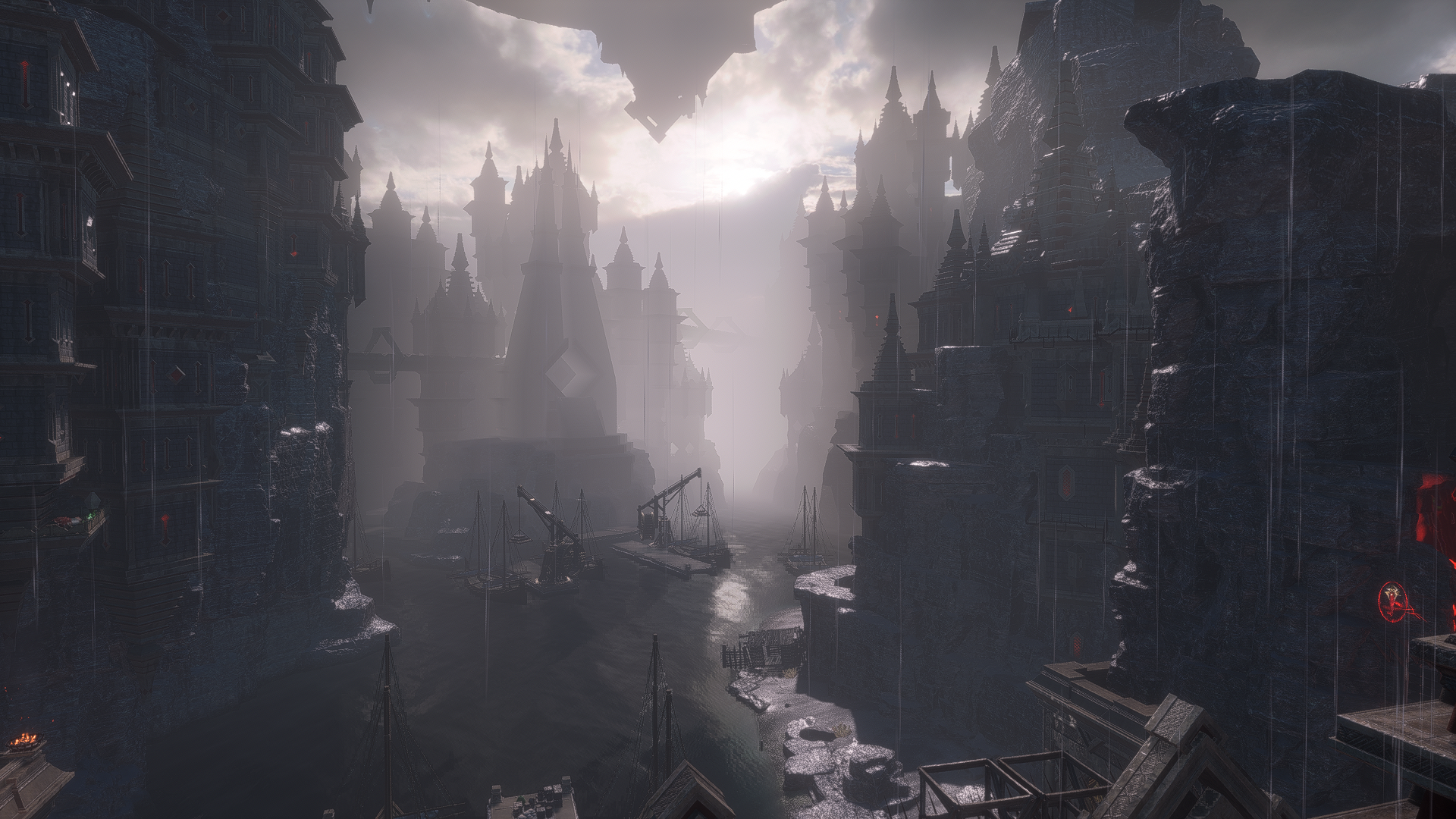
Dragon Age: The Veilguard has drawn somewhat mixed reactions from gamers, but one thing almost everyone can agree on is its impressive visual fidelity. Opinions on BioWare's art style pivot aside, Veilguard is a pretty stunning artistic product, especially on PC, where it makes the most of modern hardware available to offer strong visuals and performance.
Among the suite of tools that Dragon Age: The Veilguard leverages on PC are different scaling programs. The game is compatible with AMD FSR, Intel XeSS and, of course, NVIDIA DLSS 3, which seems to have the biggest impact on graphics and performance. This is particularly evident through 3rd generation DLSS features such as Frame Generation, which significantly smooths the game via interpolation. I got the chance to test Dragon Age: The Veilguard with an NVIDIA RTX 4060, to get some insight into how the game looks and plays on a lower 40 series GPU.

Family
How Dragon Age: The Veilguard Keeps One Funny Franchise-Long Tradition Alive
Dragon Age: The Veilguard reverses many common franchise elements, but the way it keeps a franchise tradition alive is pretty funny.
Dragon Age: The Veilguard on an RTX 4060: The Good, the Bad, and the Ugly
Dragon Age: The Veilguard runs great on 40-series GPUs—for the most part
As already mentioned, Dragon Age: The Veilguard is a remarkably good-looking game: textures are rich and detailed, draw distance is large and expansive, and ray-tracing effects help lighting reflect brilliantly and convincingly off metal, glass, water, et cetera. Of course, Ultra settings across the board provide the greatest amount of detail and VFX, but the game still looks surprisingly good at lower settings.
DLSS 3 is what really helps Veilguard shine though. Enabling DLSS and Frame Generation can result in a massive increase in FPS – up to 30fps in some areas – without a noticeable sacrifice in visual fidelity: on Balanced, with all settings set to Ultra, I was able to settle into a fairly comfortable 75FPS for most of my time with the game. DLSS 3 is a big improvement over its predecessor, and it really shines Veilguard: there are little to no artifacts with DLSS enabled, nor is there the screen door effect that can sometimes be observed in previous generations of the software. That said, Ultra Performance can make the game look pretty washed out and unattractive, and the extra frames it offers won't be worth the loss of visual quality for most gamers.
While Veilguard almost always managed to run above 60 FPS, I experienced a fair amount of stuttering in some areas, especially with ray-tracing turned on. This problem was exacerbated by the fact that, for some reason, I could not set a maximum frame rate in the program: I tried to limit my FPS to 60 in Veilguards settings, but the game would continue to target 75 FPS, resulting in some frustrating inconsistency that undermined an otherwise solid experience.
Aside from an RTX 4060, my setup includes an AMD Ryzen 7 5800X and 32GB of RAM. I also tested
Veilguard
with AMD FSR, resulting in fewer frames and worse overall visual quality than with DLSS.
I also encountered a disappointment of screen tearing, which seemed to come in phases and randomly. As a result, we recommend enabling Vsync in the Nvidia control panel instead of using app settings (which is the default)
Total, Dragon Age: The Veilguard is a solid showcase of NVIDIA's DLSS 3 software. Issues ostensibly on the side of the application, such as the FPS capping and screen tearing issues, can be fixed to allow for better performance down the road. But for now, anyone with a lower 40 series GPU will want to grab Dragon Age: The Veilguard have some beautiful sights to look forward to – as long as they're willing to put up with a few warts here and there.

Enter the world of Thedas, a vibrant land of rugged wilderness, treacherous labyrinths and glittering cities – steeped in conflict and secret magic. Now a pair of corrupt ancient gods have broken free from centuries of darkness and are prepared to destroy the world.
Thedas needs someone they can trust. Rise as Rook, Dragon Age's newest hero. Be who you want to be and play how you want to play as you fight to stop the gods from ruining the world. But you can't do this alone – the odds are stacked against you. Lead a team of seven companions, each with their own rich history to discover and shape, and together you will become The Veilguard.
- Franchise
- Dragon Age
- Released
- 31 October 2024
- Publisher
- Electronic Arts
- Engine
- Frostbite
- ESRB
- M For Mature 17+ // Blood, nudity, sexual themes, strong language, violence
- OpenCritic Rating
- Strong
- Release date for PC
- 31 October 2024
- PS5 Release Date
- 31 October 2024
- Xbox Series X|S release date
- 31 October 2024
