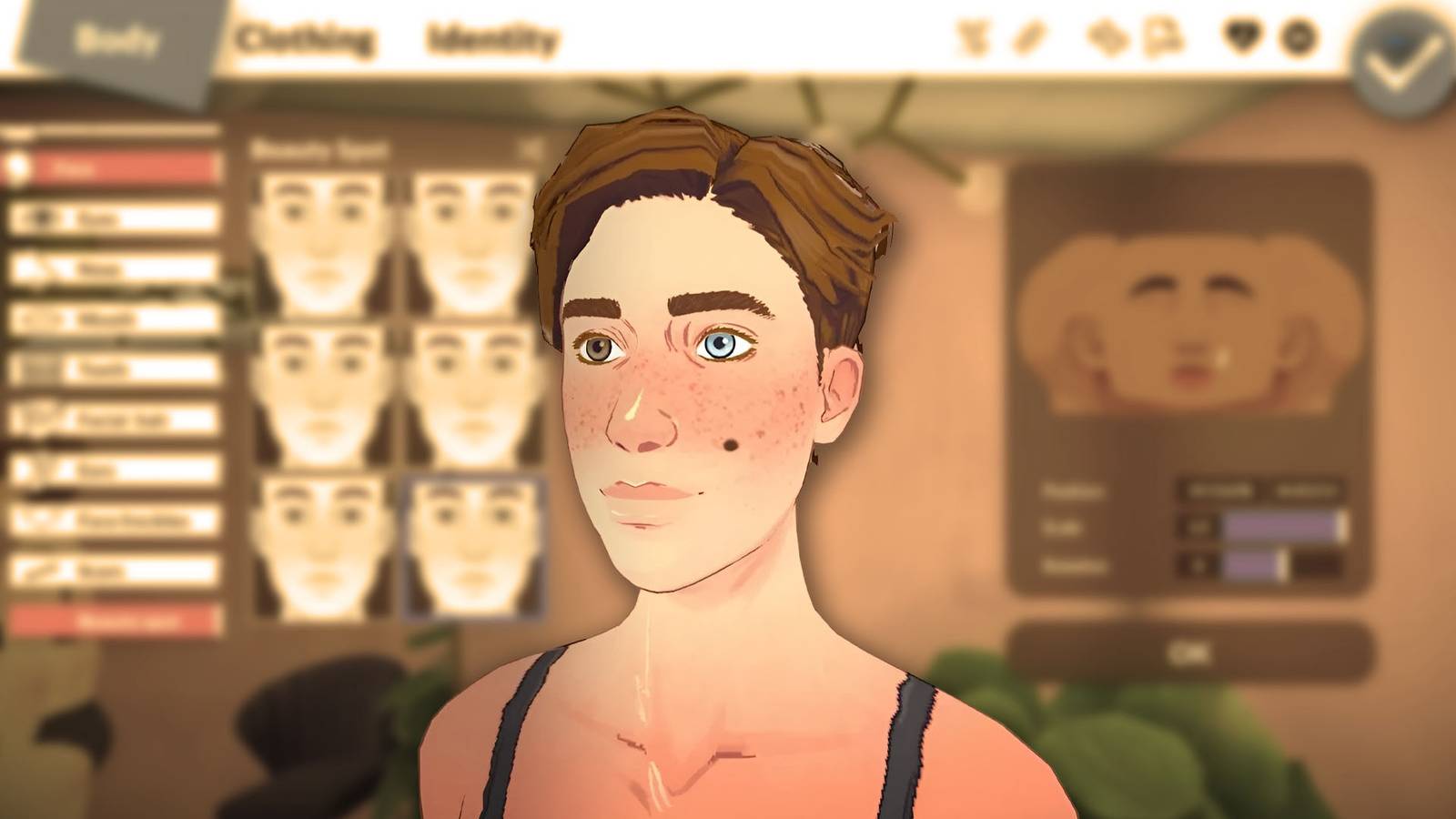
If you want to change your character's appearance in Paralives after starting a household you currently need to use a cheat command. Currently, the game does not allow you to fully edit a Para's face, body, height, personality, or voice when you are already in Live Mode. You can still change outfits and accessories normally, but major appearance changes will require you to re-open Paramaker via the built-in cheat console in Paralives. Thankfully, the whole process is quick and easy.
Romantic guide in Paralives
Discover the secrets of romance in Paralives. Find your perfect match, build relationships and woo your love interest.
How to change your appearance in Paralives
To fully edit your Parafolk, first load into your household and select the character you want to change. Once they are selected, press to open the cheat command box CTRL+F1 or CTRL+SHIFT+C on your keyboard.
When the text box appears, type EDITORIAL CHARACTER exactly as written and press Enter. The game will immediately reopen Paramaker with your selected Para loaded.
From there, you can change almost everything about them, including facial features, hairstyles, makeup, tattoos, body shape, height, voice, personality traits, talents, and even pregnancy settings.
When you're done with your edits, just confirm the changes and return to the game.
Currently, using cheats is the only confirmed way to fully edit a Para after the game has started. As Paralives is currently in Early Access, this system may change in future updates.
How to change outfits in Paralives
While full editing in Paralives requires EDITORIAL CHARACTER cheating, changing outfits is much easier and can be done at any time during normal play.
Each pair starts with four default outfit categories created during character creation: Casual, Formal, Workout, and Pajamas. As you continue playing, your character will automatically change clothes depending on what they do. For example, they will change into pajamas before going to sleep or wear work clothes when going to work.
If you want to change outfits manually, click on the pair you control and look for the white shirt under their name. Selecting it will open the outfit menu and clicking on a saved outfit will change their outfit immediately. Opening this menu automatically pauses the game, which is useful if you're trying to quickly change outfits without losing time in Live Mode.
Frequently asked questions
Can you change your Para without cheating?
No. Right now, full appearance editing requires the EDITCHARACTER cheat command.
Can you change clothes without using cheats?
Yes. Clothing and accessories can still be changed normally during gameplay.
Can you edit personality traits after starting the game?
Yes. By using the EDITCHARACTER command, you can re-open Paramaker and change personality traits, talents and other settings.


- Released
-
May 25, 2026
- Developer
-
Paralive Studio
- Publisher
-
Paralive Studio
- Engine
-
Unit