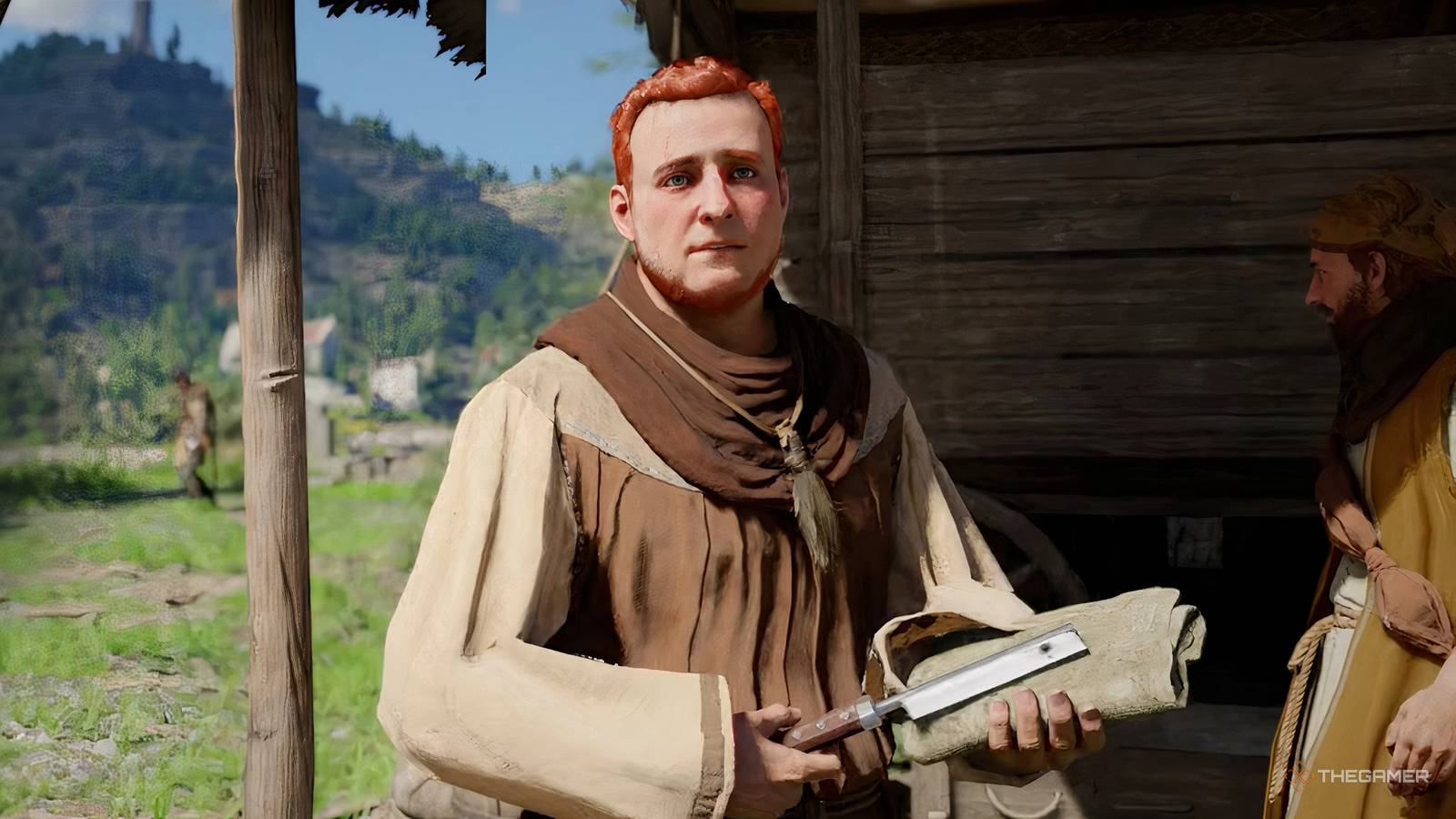
There's a lot to love Crimson Desert's world, but the character customization system is one of its best-kept secrets. Unlike most open-world RPGs, you won't find a character creator at the start of the game. Instead, the entire system is locked behind a surprisingly deep quest chain, and the game doesn't do a great job of telling you that it exists at all.
Once you've unlocked it, however, you'll have access to a hairdresser that lets you restyle your characters' hair, facial hair, eyebrows and tattoos, plus a paint shop where you can repaint every piece of armor and weaponry you own, including your horse's gear and your warbot. This Crimson Desert guide will walk you through exactly how to unlock the barber and use him for character customization.
How to unlock character customization

Unlocking character customization in Crimson Desert requires recruits Eric, Greymane's former barber, to the Howling Hill camp.
This happens via the quest “A Rumor at the Inksworth Bindery” during the Solid Foundation faction questbut you won't see that mission for a long time. There are several necessary steps to work through first.
Step One: Complete The Gathered Will Questline
The Solid Foundation questline, which houses Eric the Barber's recruitment quest, just becomes available after you finish the 'Gathered Will' series (quest chain under the Grounds of the Sunrise factions quest).
To complete Gathered Will, you must build a farm and ranch at the camp, then complete Kamu's request and Ben's requestwhich teaches you the basics of managing both facilities.
Once they're done, send companions out on a mission to Howling Hill via the “Expanding the Camp” quest to grow the Greymane base. This third camp expansion is the most important milestone in this case, with the Solid Foundation questline only being unlocked upon completion.
Step Two: Start the Solid Foundation Questline
With the camp expanded, Marius will inform you of the whereabouts of several missing Greymane comrades.
Work through the following assignments in order: 'Rumors of Comrades', 'Greymane's Cabin' and 'New Information'. Only after completing all three will the A Rumor at the Inksworth Bindery quest appear in your journal.
Step Three: Complete a reputation at Inksworth Bindery
This mission sends you out to track down three old comrades: Connor, Oliver, and Eric. Each of them returns to the camp with their own stable instead of joining as workers: Connor runs a lapidary, Oliver starts a paint shop, and Eric opens his hair salon.
When the mission is complete and you are back at camp, Eric's barber tent is next to the general store, east of the ranch and farm. It is marked on the map with a scissor and knife icon.
Oliver's paint shop is too located south of the barber within Greymane Campso you can completely customize your entire look without a lot of back and forth between the two.
Be aware that completing this mission is no small task. For both getting far enough into the relevant questlines and completing multiple camp upgrades, Unlocking customization in Crimson Desert can take you anywhere between 25 and 50 hoursdepending on your speed in line with exploration and other goals.

Crimson Desert: Achievement/Trophy Guide
Including the Platinum trophy and if any achievements are missed, here's how to get everything in Crimson Desert's list of trophies and achievements.
All character customization options

Once Eric is at camp, you've finally unlocked Crimson Desert's character customization system to use to your heart's content; walk up to him and select “Barber” then “Customize”. When you are happy with your changes, press “Apply” and you will be asked to pay a small fee of 1 Silver.
The system covers five distinct categories, each with style and color options. Customization is handled per character; so if you want to change Oongka or Damiane's appearance, you have to switch to them first and visit Eric again.
Hair
Eric offers six hairstyles for each charactereverything from short, stylized cuts to longer, swept-back options. Each hairstyle comes with a huge range of color choices (over 170 shades) as well as sliders to adjust length and fullness.
The color palette is wide enough to cover natural tones as well as more striking, vibrant options.
Beard
For the two male characters, Kliff and Oongka, you can also adjust the beard. There are six beard styles on offerwhich covers everything from a clean mustache to a full, thick beard. Just like with the hair, you have access to more than 170 colors and can adjust the length according to your wishes.
Eyebrow
Eyebrow customization is a bit more limited compared to hair and beard; its primarily a color only option rather than having lots of different styles.
Still, a well-matched eyebrow color can make a surprising difference to a character's overall appearanceand the change carries over all facial expressions in cutscenes.
Face tattoos
There is 12 face tattoos to choose fromeverything from small, single symbols placed near the eye or cheek, all the way to dramatic half-face markings.
Every design can also be customized with over 170 colorsand you can also adjust the opacity to make them more subtle or striking depending on your preference.
Body tattoos
Body tattoos offer the widest selection of the five categories, with 27 designs available. These range from small, subtle pieces to large, eye-catching patterns that cover the torso and legs. Just like face tattoos, every body tattoo supports color customization and opacity adjustments.
Oongka, whose armor usually exposes more skin than Kliff or Damiane, is particularly well suited to showing off larger body parts.
Color your armor and equipment
While Eric handles everything above the neck and below the hairline, Oliver's Dyehouse is where to go to change the colors of your gear in Crimson Desert.
This includes your character's armor and weapons, your horse's armor, and even the color of your warbot.
However, coloring is not as simple as walking up to Oliver and choosing a color. You have to get paint first, and any dyes you get must be used from your inventory before it becomes available as an option at the paint shop; think of it like learning a recipe.
If a color still doesn't appear after you've applied it, it may be because Oliver only has certain regional color lines. There is 10 paint colors and 110 shades in total, but each paint dealer throughout Pywel specializes in a different set – so you may need to find the right supplier for the color you are looking for.
How to get dye
To get color, in Crimson Desert, you have three main options; the first is that you can buy it directly from Oliver or other paint retailers in Pywel by choosing “buy” instead of “color”.
You can too create it at a cauldron using flowers and insects; the cauldron is not a cooking pot, so make sure you're on the right station.
Collecting pink herbs like peony for red, yellow herbs like Dunbaria for yellow and lavender for purple is fastest way to build up a color supply.
Alternatively, you can find paint bottles out in the world in homes and settlementseven if you have to equip a mask and make sure no NPCs are watching before you got them.
If you do not have a specific prescription, by selecting “Improvise” at the cauldron, you can experiment with your materials to discover new nuances.
A general rule of thumb to keep in mind is ten flowers in one color combined with a mix of beetles will usually produce a working dye.
With Eric and Oliver both running their stalls on Howling Hill, you'll have everything you need to make each of Crimson Desert's three playable characters look just the way you want, and keep all their armor matching.

We've all used Crimson Desert's Double Jump The Wrong Way
A mistranslation in the English instructions has us all using double jumps the wrong way.
